
Getting started
Overview
What Qadet is, how a feature goes from a requirement to a regression suite, and where everything lives.
What Qadet does
Qadet is an AI QA teammate for web apps. You describe what to test in plain words, or paste a user story, acceptance criteria or a PRD. Qadet pulls out the requirements, plans scenarios for each, and works them out in a real Chrome browser on your own computer. Every step it takes is saved, so a passing scenario becomes a regression test that replays later without calling an AI model.
When the app changes and a saved step stops matching, Qadet finds the element again and proposes a repair. A safe repair applies by itself, such as one to a step that only opens a page, or to a cleanup step. Every other repair waits for you to approve it. See Runs and repairs.
From requirement to regression
- Describe the featureStart a QA task with a requirement, a story or an attached document. Qadet looks at the app first, and asks only what blocks the tests.
- Approve the planReview the scenarios, each mapped to a requirement. Leave any out, with a reason. Nothing runs until you approve.
- Watch it testThe runner on your computer opens Chrome and works through each scenario. Watch live, step through screenshots, or replay the recording.
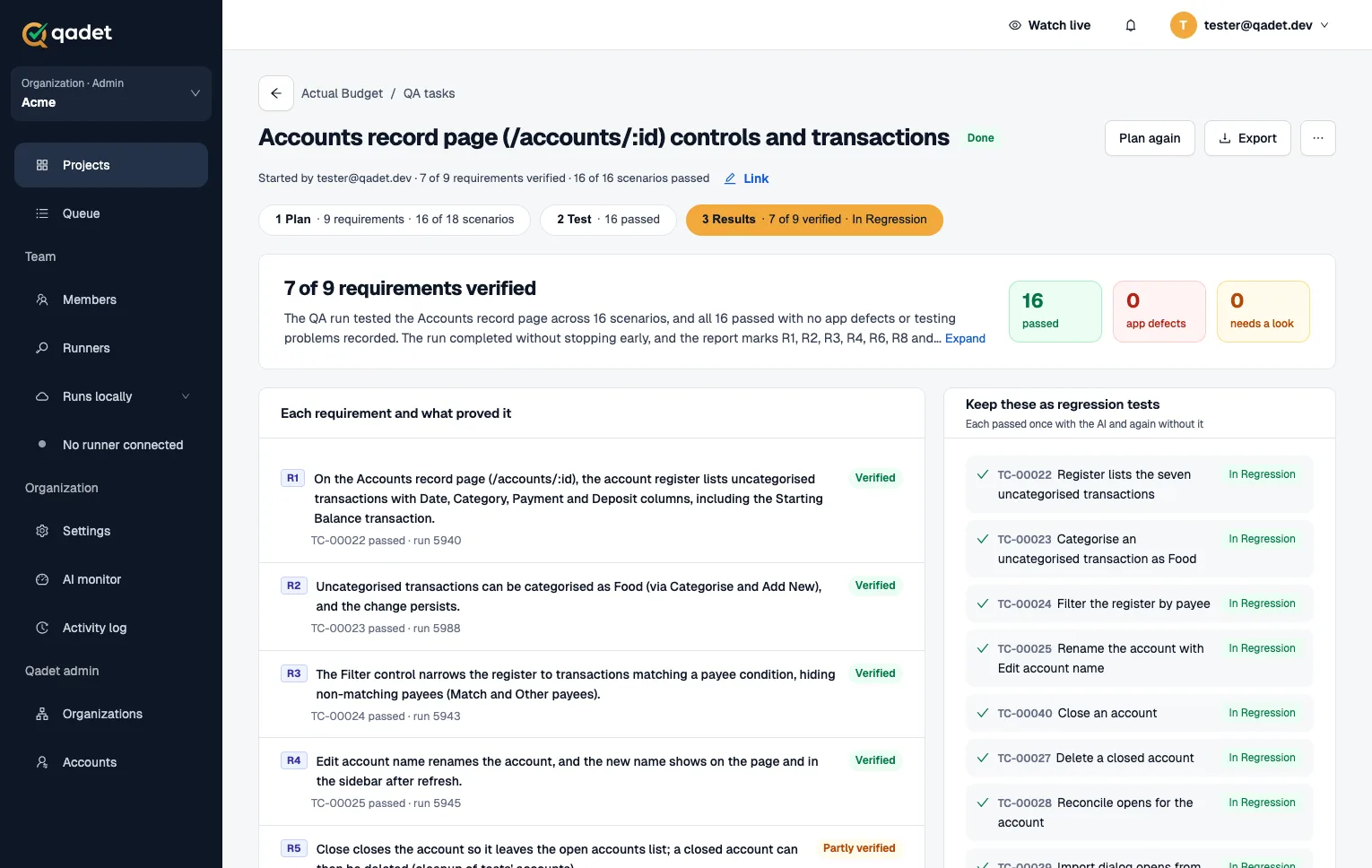
- Read the reportEach requirement is traced to the scenarios that cover it and the runs that prove it: verified, failed, left out or not planned.
- Keep it as regressionAdd the passed scenarios to the project's tests. They replay with no AI, in any environment, alone or in test runs.
Key ideas
| Term | What it means |
|---|---|
| Organization | Your team's workspace: members, AI key, budget and projects. |
| Project | One app under test, with its address, accounts, knowledge and tests. |
| Environment | Where a project runs, such as QA or staging, each with its own address, accounts and values. |
| QA task | A feature to test: requirements, a plan of scenarios, their runs and a report. |
| Test | Saved, verified steps that replay without AI. Grouped into folders and suites. |
| Run | One attempt at a test: with AI (to work it out or repair it) or a replay (no AI). |
| Test run | A batch of tests run together, such as a suite before a release. |
| Runner | A small program on a tester's computer that drives Chrome. It never sees the AI key. |
What makes Qadet different
- Your browser, your network. Tests run in Chrome on your own machine, so private, VPN and local apps are in reach.
- Your AI key. You pick the provider and model and pay them directly. Replays never call a model.
- Evidence per requirement. Reports read requirement by requirement, with the runs that prove each one.
- You approve changes. Nothing runs until a person approves the plan. A repair that could change what a test proves waits for a person too; only safe repairs apply by themselves.
Where to next
Using Qadet from the keyboard
Every page works without a mouse. Tab moves between controls. In lists, such as a test's steps, the Tests list and a QA task's scenarios, the up and down arrow keys move between items, and Home and End jump to the first and last. Enter or Space opens or picks the item: a test's preview, a scenario, or a step's screenshot. On a phone, Escape closes the menu.