
Set up
Projects
A project is one app under test. Add it once; its tests, QA tasks and setup live inside it.
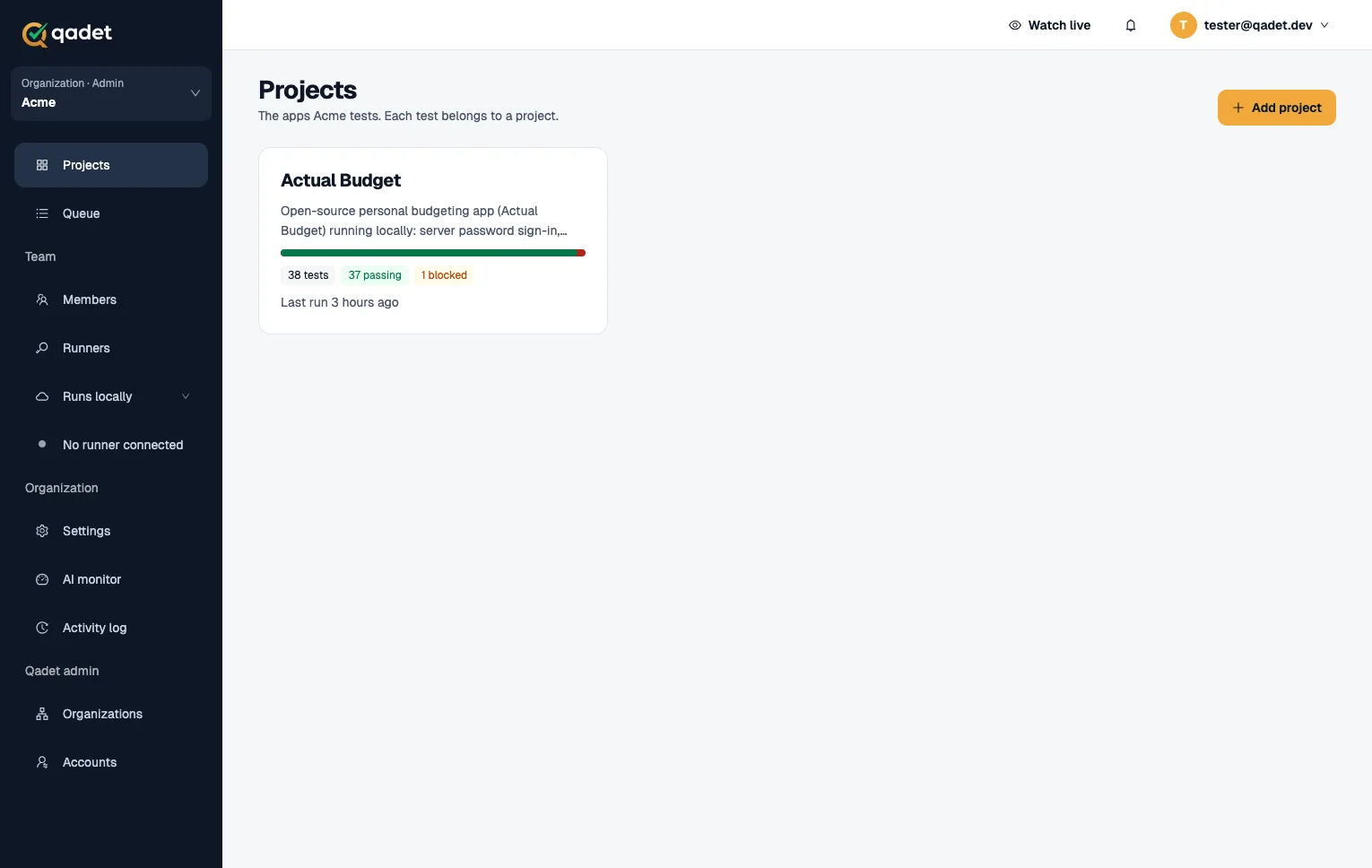
Adding a project
Choose Add project. Three short steps ask for the app's name and address (Base URL), how people sign in, and optionally documents about the app: drop up to 5 at once, such as a PRD, a spec and a user guide, and Qadet reads each into knowledge. The last step also offers to connect your editor, which reads your code and teaches Qadet the app with nothing to type, and to explore the app in the background, which is on unless you untick it.
Exploring is a quick look: Qadet opens the main screens once as each test account's role (up to 3), or without signing in when there are none, and proposes what it saw as knowledge. It only looks, never creating, changing, deleting, paying or sending anything, and each role uses at most $0.75 of AI. Setup doesn't wait for it and it asks for nothing: with no runner connected yet the tours wait in the queue, and while the project's own tests wait or run, tours wait for them, so they don't slow your tests down on the same app, and with no AI set up it doesn't start. The project page says while it explores, with Watch live to see the tour in its browser as it goes (a tour still in the queue shows there once a runner starts it), and Stop exploring, which keeps what it learned so far. To look again later, such as after a release adds screens, choose Teach Qadet more → Explore the app on the line under the project's name. Only admins see it. Each tour can also be cancelled from the queue. When the last tour ends, you get one notice with what to review. A tour ends as Explored the app; only a tour that couldn't reach the app shows as failed. Tours take no test number, so your own tests start at TC-00001. On a computer with 12 GB of memory and 6 cores or more, it looks at several areas of the app at once, each in its own tab of the same browser; it records no video.
If the app moves, change its address in the project's settings: tests that start at the old address move to the new one, so they aren't blocked as another site.
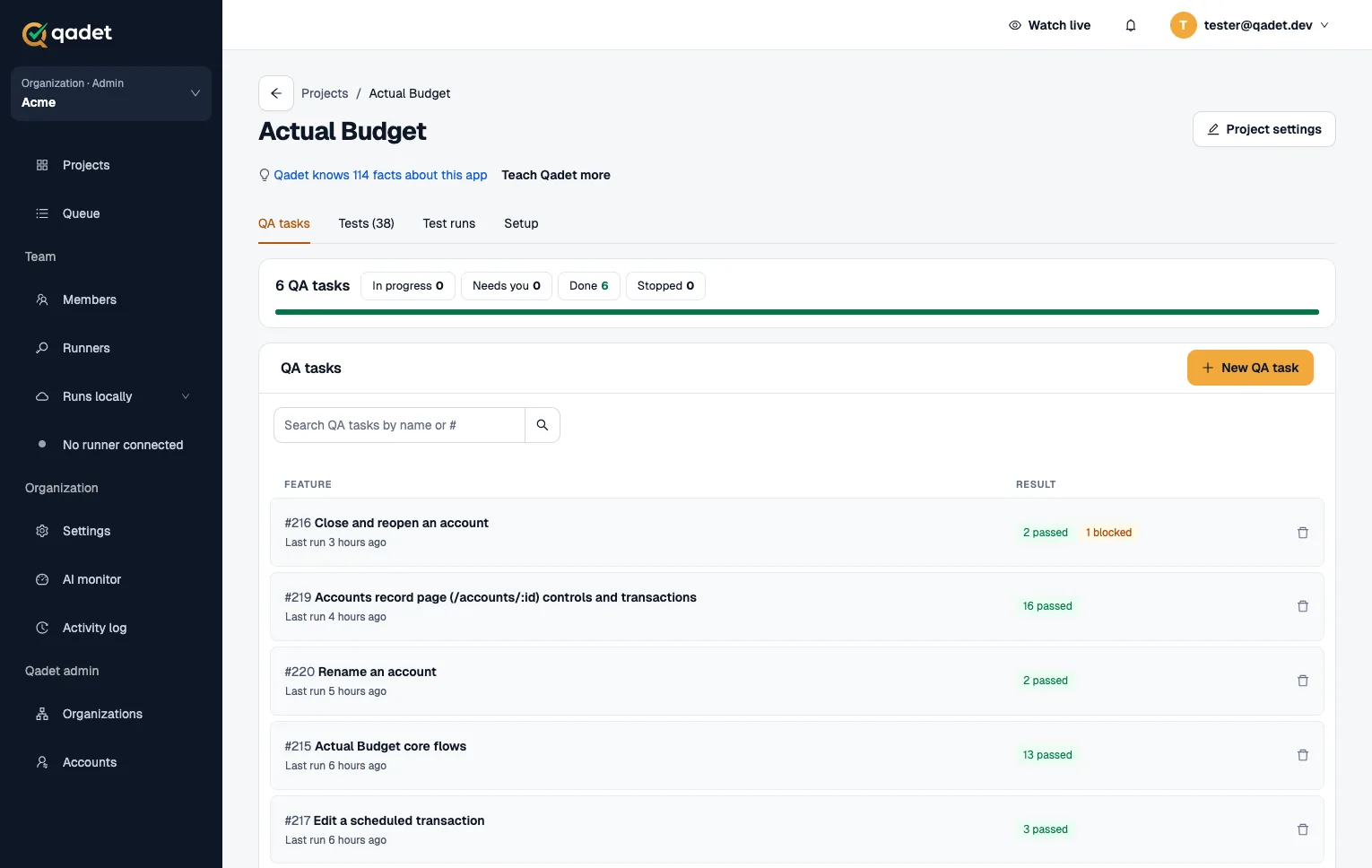
Under the project's name, one line says what Qadet knows: its workflows, rules, terms and notes, the facts waiting for review, and when your editor last taught it from the code.
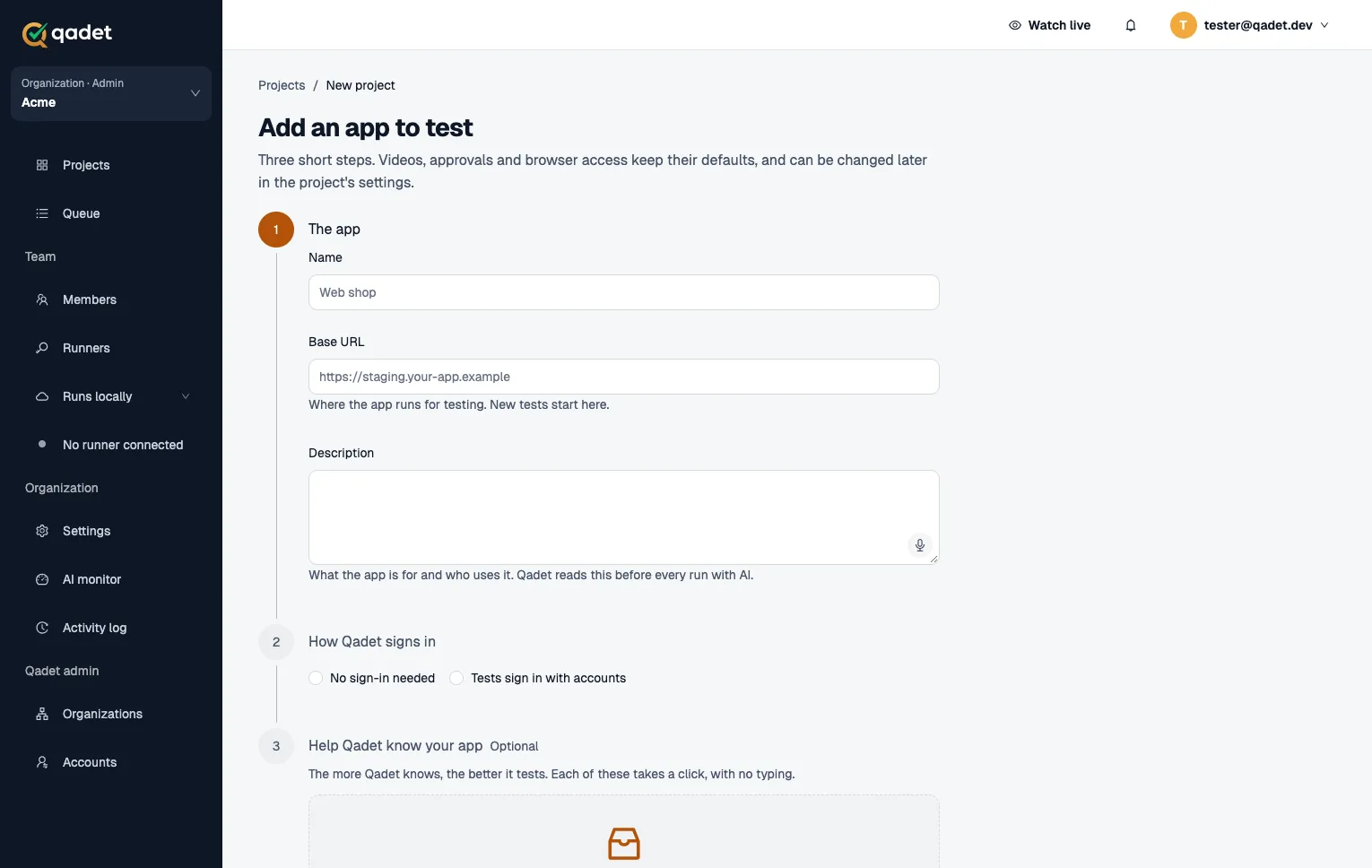
Inside a project
| Tab | What's there |
|---|---|
| QA tasks | Features being tested and their reports. See QA tasks. |
| Tests | Saved tests in suites and groups, with results and reliability. See Tests. |
| Test runs | Batches of tests run together. See Test runs. |
| Setup | The app, environments, accounts, knowledge, fixtures and email inbox. See Project setup. |
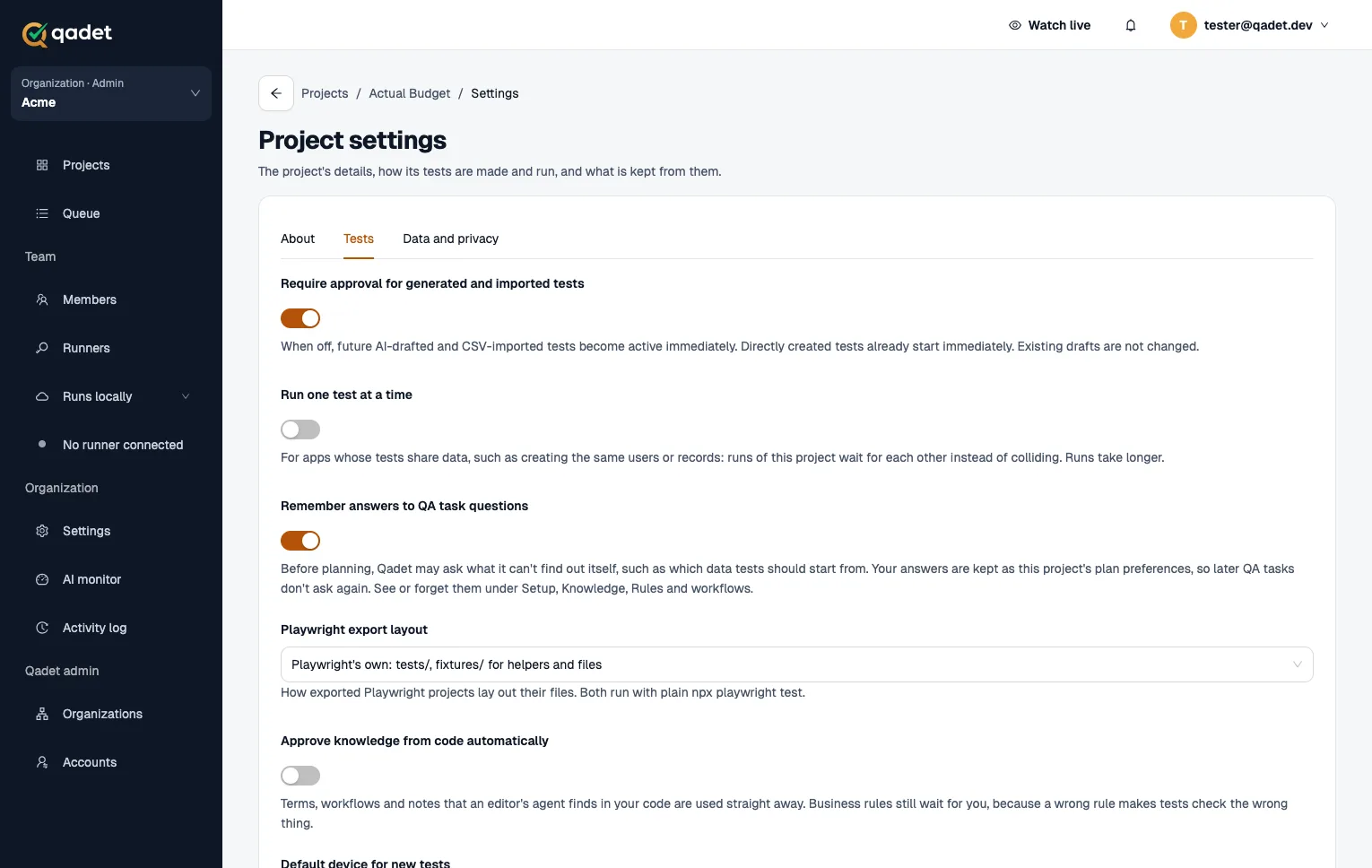
Project settings
| Setting | What it does |
|---|---|
| Require approval for generated and imported tests | New tests from AI or CSV start as drafts until someone approves them. |
| Run one test at a time | For apps whose tests share data, such as creating the same users: the project's runs wait for each other instead of colliding. |
| Remember answers to QA task questions | Keeps your answers to Qadet's questions before planning as the project's plan preferences, so later QA tasks don't ask again. See or forget them under Setup → Knowledge → Rules and workflows. |
| Playwright export layout | How exported Playwright projects lay out their files: Playwright's own layout, or a team layout with support/ for helpers, files and data per environment. Both run with plain npx playwright test. See Exports. |
| Approve knowledge from code automatically | Knowledge an editor proposes from your code joins without review. |
| Default device for new tests | Desktop, Mobile (iPhone 15) or Tablet (iPad Pro 11). |
| Record browser videos | Off, keep every recording (the default, since a passed run's video is evidence too), or keep failed runs only to save storage; at 640×360, 960×540 (the default) or 1280×720, kept for a number of days (1 to 365). Every run is recorded while it runs, so a lower resolution is what keeps a tester's computer cool. |
| Hide on screenshots and videos | Areas covered with a solid box on the tester's computer, before anything is saved or uploaded: each a name and a CSS selector, such as [data-test="card-number"]. Password fields, fields a test types a saved value into, and elements marked data-sensitive are always hidden. Tests still click and check these areas, and the AI still reads their text; only the pictures hide them. |
| Keep step screenshots for | Always (the default), 5, 2 or 1 year. Once a recording is gone, the screenshots are the run's record, so this can't be shorter than recordings are kept. A run whose screenshots have gone says so, and keeps its steps and result. |
| How to remove test data | Tells Qadet how to clean up records its tests create. |
A project can be archived from its settings: it leaves the Active list but keeps its history, and can be restored.