
Set up
Organization settings
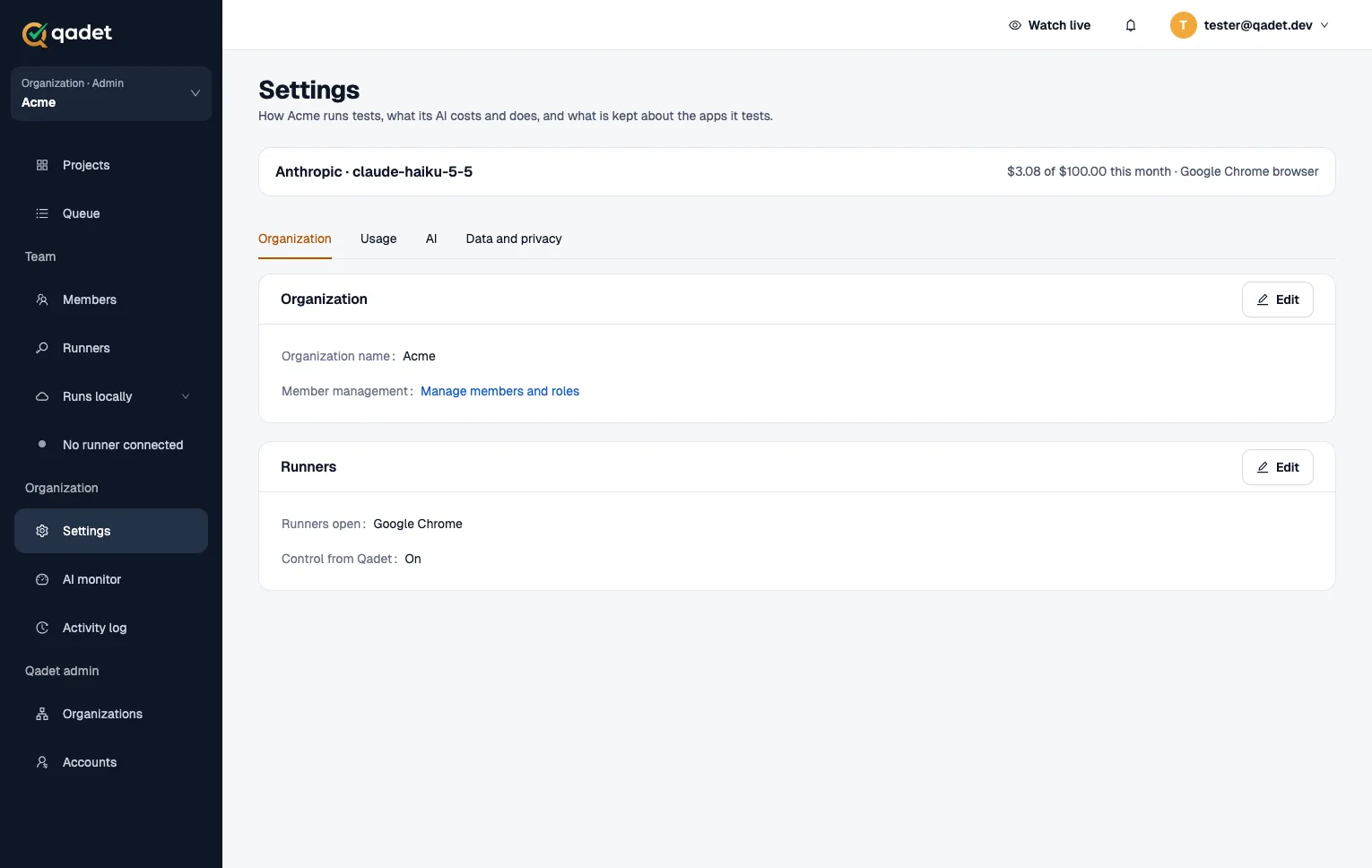
The AI provider and models Qadet uses, the browser runners open, and the monthly AI budget. Admins only.
If you belong to more than one organization, Qadet opens the first by name when you sign in. To open another instead, switch to it in the organization menu and choose Open … when I sign in; the menu marks it opens first.
AI provider keys
Qadet uses your own AI key, so you choose the provider and pay them directly. In Settings → AI, on AI provider keys, choose Add key, pick a provider and paste the key. Some providers also take an endpoint, such as an Azure OpenAI deployment. Keys are encrypted at rest and can't be read back; the table shows only when each was saved and what it spent this month. Use a separate key with a spending limit: see Your AI key.
AI model
The AI model card in Settings → AI holds these settings.
| Setting | Used for |
|---|---|
| AI key | Which saved key Qadet calls. |
| Frontier model | The model that plans QA tasks, explores the app and repairs tests. When you connect a provider during setup, Qadet fills in a capable one for you, such as Claude Sonnet for Anthropic; change it any time. An endpoint is asked for only for Azure OpenAI; for a gateway or proxy with another provider, open Use a gateway or proxy. |
| Model for exploring and repairs | Optional. A stronger model of the main provider, such as Sonnet, for working out tests and repairing them, where the model decides most. Planning and everything else keep the frontier model. If not set, the frontier model does it all. |
| Economical key | Optional. Another saved key, of the same provider or another, for the economical model, such as OpenRouter beside an Azure frontier model. Save that key first. If not set, the economical model uses the main AI key. |
| Economical model | Routine work such as summaries and learning from runs, where a cheaper model is enough. When it is of the same provider as the model that explores, it also answers the turns right after the AI fills form fields, where the page hasn't changed; every turn after a click, every check and every verdict stays on the exploring model. If not set, the frontier model does this work. If its provider refuses it, Qadet uses the main key and model for that work instead. |
| Second opinion | On by default. A run with AI that fails or can't decide runs once more, and a failure is reported only when both agree. See Reliability. |
| Second-opinion key | Optional. A separate saved key for second-opinion runs. If not set, they use the main AI key. |
| Second-opinion model | Optional, recommended: a stronger model for the second run. If not set, it uses the frontier model. |
Use Test to make one tiny call and confirm the key and model work.
Runners
The Runners card on the Organization tab has two settings:
- Browser: which browser the runners open, such as Google Chrome. It must be installed on each runner's computer.
- Control runners from Qadet: lets people restart, update, remove and reconnect their runners from the Runners page. Off, these happen only on the computer itself. Pausing always works.
Usage and the monthly limit
The Usage tab shows what the organization has spent on AI this month. Set a Monthly AI limit in Settings → AI, on the AI model card. When it's reached, runs with AI pause and replays keep running. Show AI cost, off by default, decides whether runs, tests, QA tasks and their exports show what the AI cost; off, only Settings shows it. If the provider refuses the key, for example when the account runs out of credit, a banner says so and admins can choose I've added credit: check again.
Per-person AI limits
So the AI stays on testing work, each person has hourly limits. When one is reached, Qadet says to try again shortly.
| Use | Per hour | Longest text |
|---|---|---|
| Revising a test with AI | 40 | 2,000 characters |
| Reading a requirement or document | 30 | 80,000 characters |
| Planning conversations | 30 | 40,000 characters |
| Testing the AI key in Settings | 20 |
One conversation runs at most 20 turns and $0.30. An attached document is at most 5 MB (20 MB unzipped), an audio file for dictation at most 25 MB, and live dictation at most 10 minutes at a time. One run spends at most $2 of a QA task's budget.
Dictation and knowledge embeddings
Optional: a Speech-to-text model lets people speak instead of typing: a small mic in the corner of each text box turns red while it records and writes the words in as they talk, and an Embedding model helps Qadet find the right project knowledge when planning.
Keep AI conversations
What Qadet's AI calls said (prompts, answers, and the page text the AI read while exploring and repairing) is kept with your organization's AI calls. In Settings → Data and privacy, under Keep AI conversations, an admin chooses how long: Always (the default), 1 year, 90 days, 30 days, 7 days, or Only while a run lasts, which deletes it within a few hours of each call.
Once deleted, it's gone. Which model ran, the tokens, the cost and the timing are always kept, so usage, budgets and the AI monitor's numbers still add up. Conversations people come back to, about improving a test or planning a QA task, keep what was written so they can go on; their page text and tool calls are deleted like the rest.
This is separate from the AI monitor, which only decides who can see AI calls.
File storage: use your own bucket
Run videos, step screenshots and the files tests upload are kept in Qadet's storage by default. An admin can keep them in the organization's own S3-compatible bucket instead: AWS S3, Cloudflare R2, MinIO, Wasabi or another service. In Settings → Data and privacy, under File storage, choose Use your own bucket and enter:
- Endpoint: leave it empty for AWS S3. For another service, its address. It must be a public
https://address. - Region:
autofor R2, usuallyus-east-1for MinIO. - Bucket, Access key ID and Secret access key. The key needs to write, read and delete files in the bucket.
- Path-style addresses: turn it on for MinIO and most self-hosted services.
Before saving, Qadet writes a small file to the bucket and deletes it, so settings that don't work are never saved. The secret key is encrypted and can't be read back.
Runners upload videos and screenshots straight into the bucket, yours or Qadet's, rather than through Qadet's servers: Qadet hands the runner a link for one file that lasts five minutes, checks the file arrived, and keeps only a reference. The bucket's keys never leave Qadet. If a runner can't reach the bucket, for example behind a strict proxy, it sends the file through Qadet instead, which stores it in the same bucket.
New files go to the new bucket from then on. Files saved earlier stay where they are and keep working: switching to another bucket, or back to the default storage with Use default storage, never breaks an old video or screenshot.