
Test
Runs and repairs
A run is one attempt at a test. See every step, its screenshot, the recording, and approve repairs when the app has changed.
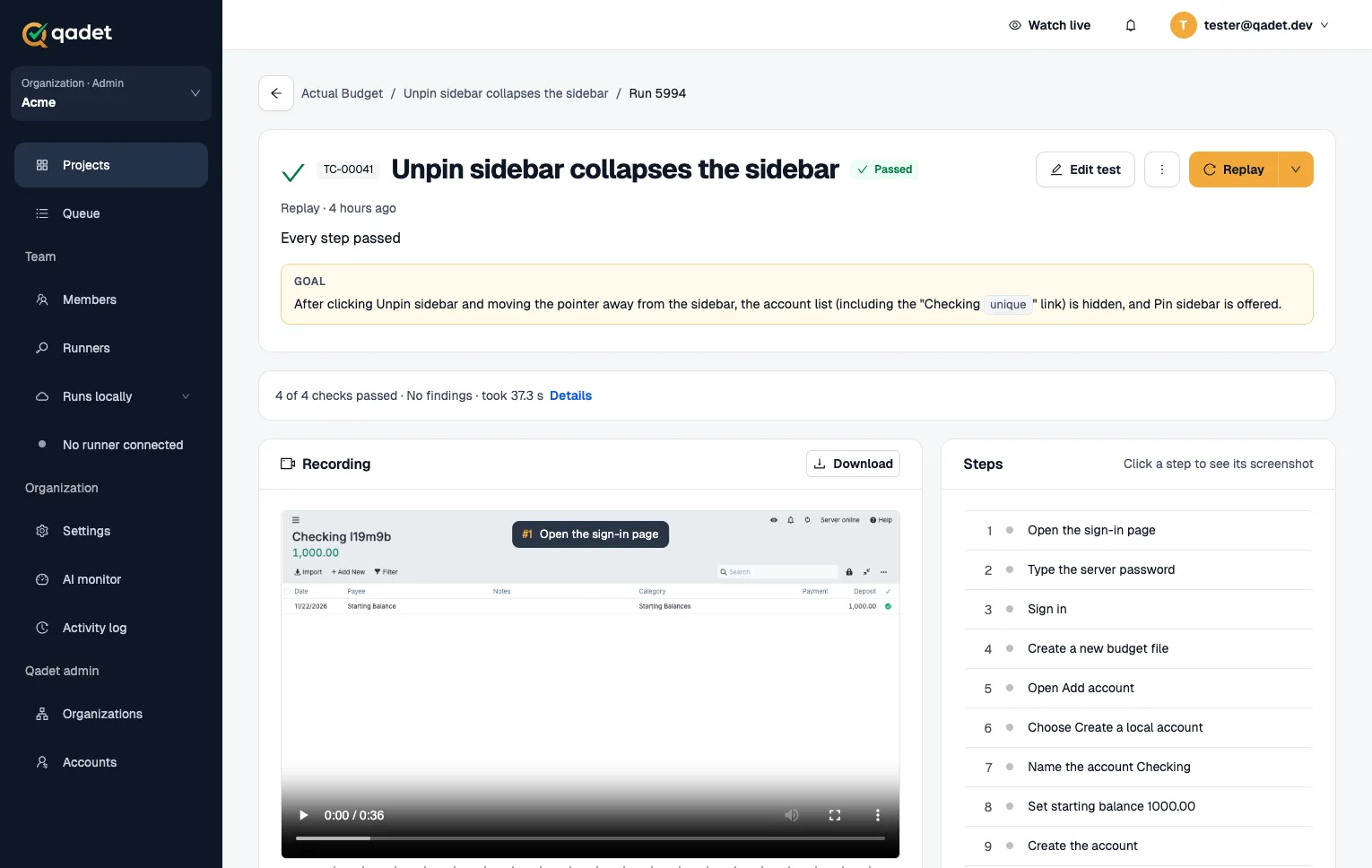
Reading a run
- Result: its status, such as Passed, Failed, Couldn't run or Needs you. See Statuses and causes.
- Goal: what the test must show to pass. A failed run says which step failed, with a tag: App bug or Qadet couldn't run it. See what failed opens a panel with what the step Should show or Should do, what Happened instead, and a screenshot of the page at that moment, which opens full size when you tap it. When Qadet couldn't repair the step itself, it says why. The panel also offers a Bug report PDF and a fix prompt to copy into your coding agent.
- Checks: what the run proved, such as "Order confirmed is shown".
- Findings: problems Qadet noticed along the way, such as console errors, failed requests and server errors. With an up-to-date runner, each one says which step was running when it happened.
- One line with the checks passed, findings and duration. Details beside it shows the computer it ran on and what the AI used; a replay says No AI calls.
- Recording: the video, kept as the project's settings say; after that, the step screenshots stay. Play it at 1×, 1.5×, 2× or 4× to get through a long run quickly; your choice is kept for the next recording. Steps: click one to see its screenshot. Download saves it named for the test and step, such as
TC-00188_invite-an-admin-member_step-19.png, ready to attach to a bug.
Repairs
When a saved step no longer matches, for example a button was renamed, a run with AI finds the element again and proposes a repair. The run shows Needs you with what the step was and what it is now. Choose Accept and continue to update the test, or Decline to leave it as it was. To get another proposal, write what should change and choose Ask AI to revise.
A step that found a record by its id, such as a product whose id changes when the app's data is reset, needs no AI. Qadet saves new steps by the record's kind and text instead of its id. When an older saved step's id is gone, the replay picks the record the step names, such as the Hammer, or the first one shown when it names none, and saves that.
Replays without the AI also scroll a long list to find a row it only shows once you reach it, type a one-time code into boxes that hold one digit each, find a style class whose build code changed after a deploy, and press Log in when a saved Sign in was renamed (the same for sign up and sign out).
A run with AI finds a row far down a long list without scrolling step by step, keeps track of a button the page keeps drawing again, and chooses from a list with select rather than clicking its options, so a list that takes several choices keeps them all.
Some things are only drawn, such as a desk on a floor plan, a bar in a chart or a seat on a seat map, so the page names nothing to click. A run with AI then looks at a picture of that one part of the page, finds the target by sight and clicks that spot. The step saves the spot inside that part of the page, so a replay clicks the same place without the AI. If the drawing changes, the check after the click fails instead of passing on a wrong click. This needs runner 0.7.20 or later.
A repair can be sent back for another try at most 3 times. After that, accept it, decline it, or fix the step yourself.
When a step's element is missing because the test is in the wrong place rather than because the app changed, the run says Data or setup problem and what was missing, such as a budget another test left open or a field an earlier step never filled. Qadet doesn't repair it by picking another element. Change the test from an earlier step so it makes its own data, or give its setup the data.
A failed check changes only when you agree the app changed on purpose. When the new check would prove less than the old one, such as looking for confirmed instead of Order 4471 confirmed, the repair starts with Looser check and says what it no longer checks, and it never applies without you.
One replay asks the AI for at most 8 repairs. A test that needs more has drifted from the app: the run fails and says so, and changing the test from its first broken step is quicker than repairing it step by step. This needs runner 0.7.29 or later.
Some repairs apply without asking, and Qadet carries on as a tester would:
- A repair to a step that only looks or moves around, such as opening a page, expanding an entry or searching.
- A repair the AI is sure finds the same element.
- A repair to a cleanup step, since cleanup checks nothing.
- A check that finds the same thing another way, such as by its label instead of an old test id.
Repairs to steps that delete, pay, send or invite always wait for a person. So does a repair that removes a step because its purpose is already met.
A run waits 2 minutes for a decision, with its browser open. After that it stops, so it doesn't hold up other runs. Choose Accept and rerun on its page: the repair is saved to the test and the test runs again at once, a QA task's scenario from its QA task. The steps before the repaired one replay without the AI.
The queue
Queue, in the sidebar, lists the Qadet cloud runs of your organization and your own local runs that are running or waiting, each marked Qadet cloud or Your computer. A teammate's local run only runs on their computer, so it stays in their queue, not yours. It says why each waiting run waits: no runner is connected on the computer of the person who started it, their runner is busy, Qadet cloud is running the organization's share already, an earlier test in its order is still going, or its test run is paused. Cancel a run from there, or tick several (or all, with the box at the top) and press Cancel N selected, then Cancel runs to confirm. Waiting runs never start, and running ones stop at their next step. A QA task starts up to three scenarios at once. Its other scenarios aren't runs yet: they show under Waiting in QA tasks, each saying which scenario it runs after, and count as waiting. The list refreshes every 10 seconds. A run that has waited five minutes also sends a notification to the person who started it, once, saying why it waits, and your editor hears the same reason while it follows the run.
Runs that never finish
- A running run ends when its runner goes quiet: after 3 minutes once the computer stops checking in (it slept, closed or lost its network), or after 10 minutes with nothing new while the runner is still there.
- A queued run no runner takes within a day ends, so lists don't show it waiting for ever.
- A run Qadet itself stopped is tried again with the same model, up to 3 times in a row. Examples: its AI service restarted, the AI provider couldn't be reached, or the runner lost the web app. A run with AI goes on from the steps it had saved. Such a run isn't judged, and an ordered test run's later tests wait for the retry instead of being blocked.
- A run whose runner went quiet stops counting toward its QA task's time limit a few minutes after its last report.
Step screenshots are at most 5 MB each.
Watching live
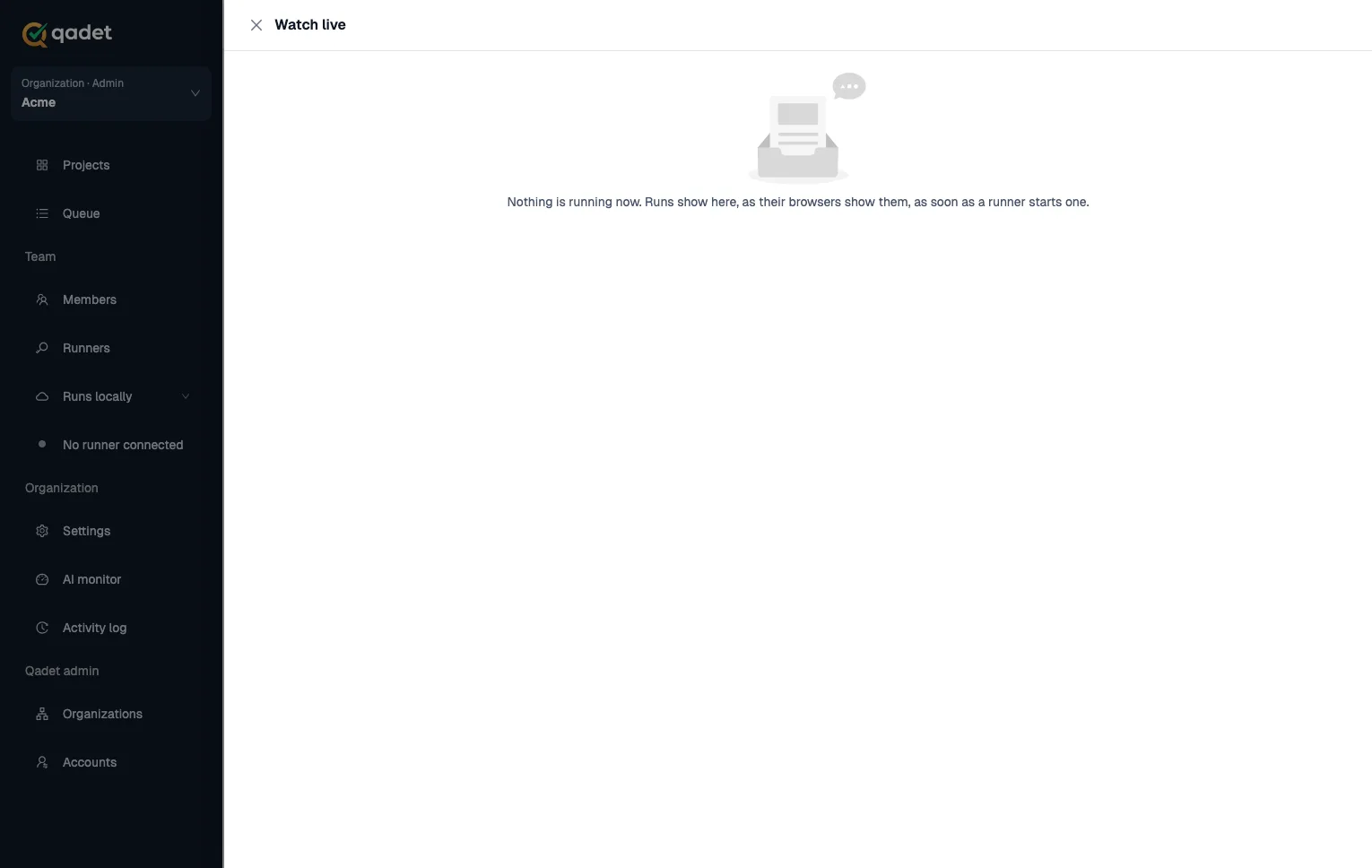
Watch live is always one click away and in the top bar shows your own runs, like your notifications. A QA task's or test run's own live view shows all of that work, whoever started it, and opens on your run if you have one going. The top bar shows how many of your runs are going (● 2 running), and while one runs a small player in the bottom corner shows its test and current step; close it with × and it stays away until the next run. Either opens the live view beside the page: the page as the runner sees it, and the steps as they happen, for the project you are in or the newest run's. Opened on a QA task's page, it shows only that QA task's runs.
Deleting a run's evidence
When a correction in a QA task replaced a test with a new one, the old test's runs say so at the top, with links to the QA task and to the test that took its place. They stay as history; the QA task runs the new test from then on.
An admin can remove what a run captured, right away rather than at the end of a retention period: open the run, choose ⋯ → Delete evidence, and confirm. Its recording, step and repair screenshots, and the AI conversation with the page text it read are deleted, from Qadet's storage or your own bucket. The run keeps its result, steps, timings and cost, and says who deleted its evidence and when. It can't be undone, and the Activity log records it.
To do the same for every finished run in a project, use Delete all run evidence at the bottom of the project's settings, and type the project's name to confirm.